Share content to TTS Reader, Edit Text, Download Audio, Loop Audio, Skip Text
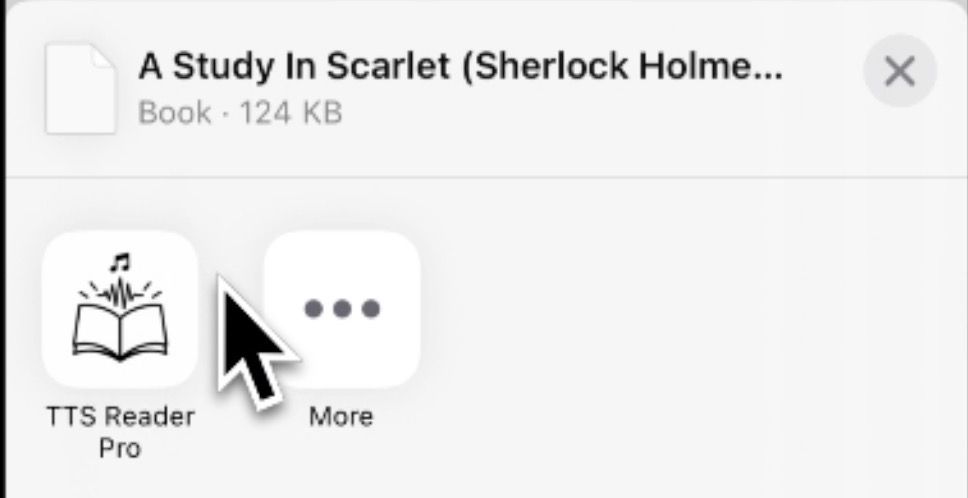
Share articles, documents, or images without manually importing files.
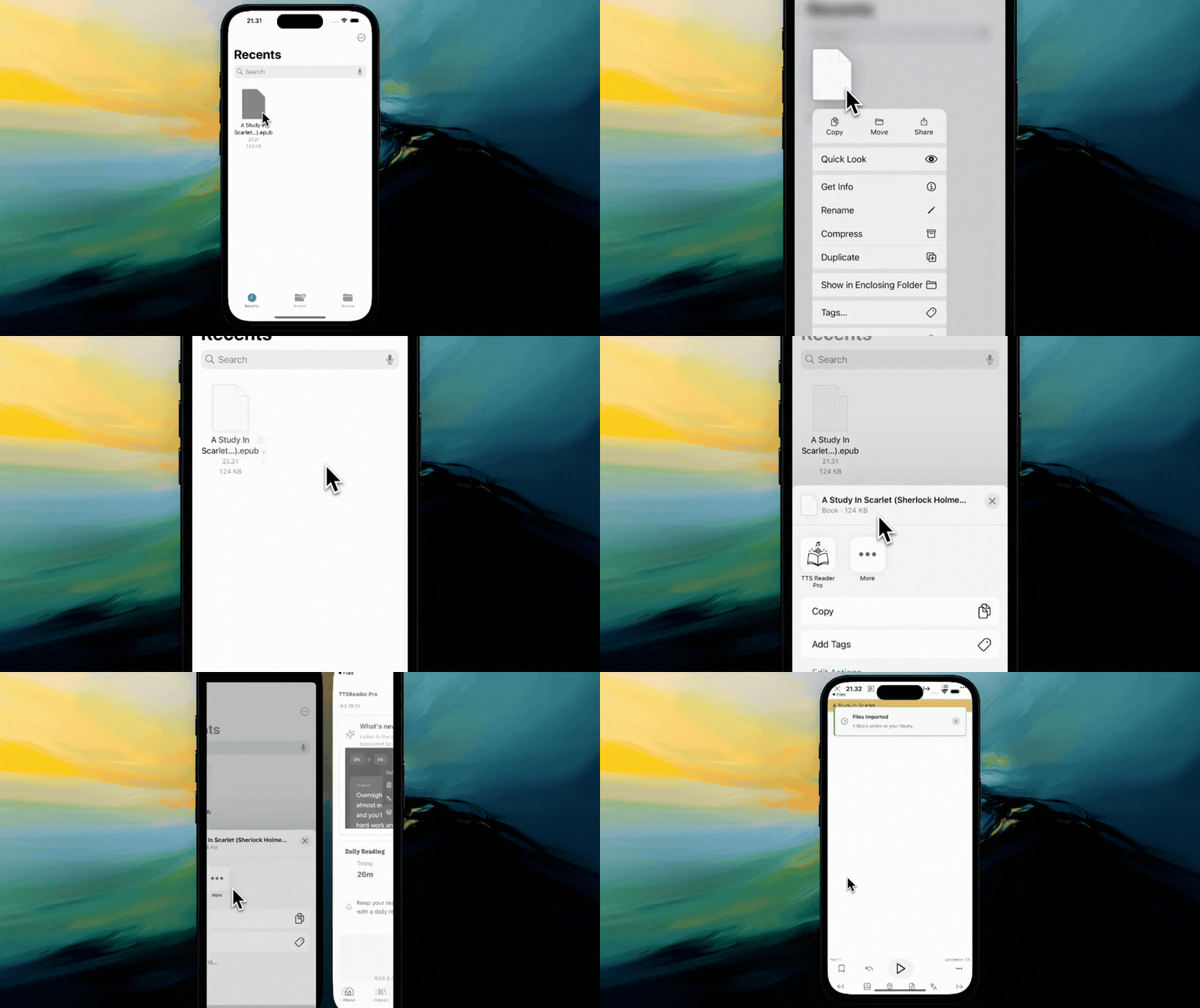
How to Use
In any app, tap the Share button.
Select TTS Reader Pro from the share sheet.
The content will be processed and added to your library automatically.
You'll be taken directly to the new item to start reading/listening.
Edit Text
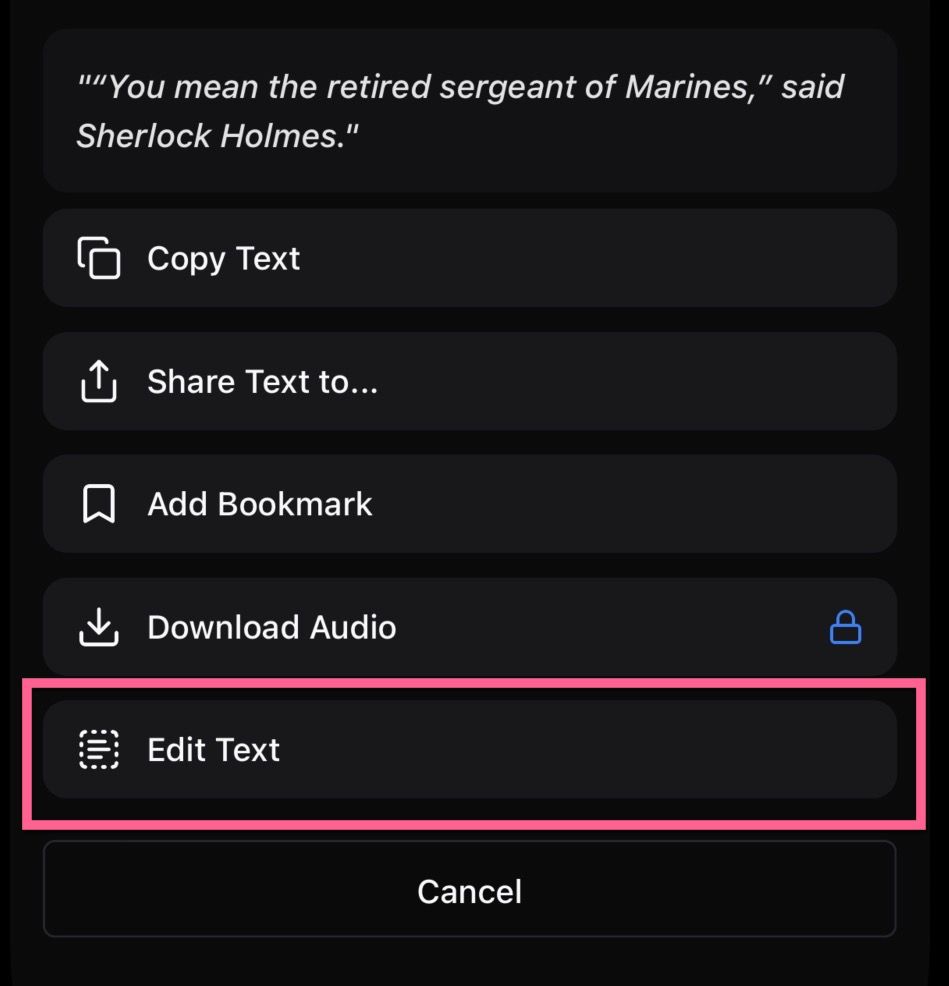
Modify the text of segments directly within the app.
Why
Correction: Fix errors or typos in imported documents.
Customization: Adjust the text to suit your reading or listening preference.
How to Use

In the Listen View, locate the segment you want to edit.
Tap the Edit button of top or bottom.
Select Edit Text.
Make your changes in the dialog and save.
Download Audio (for paid user only)
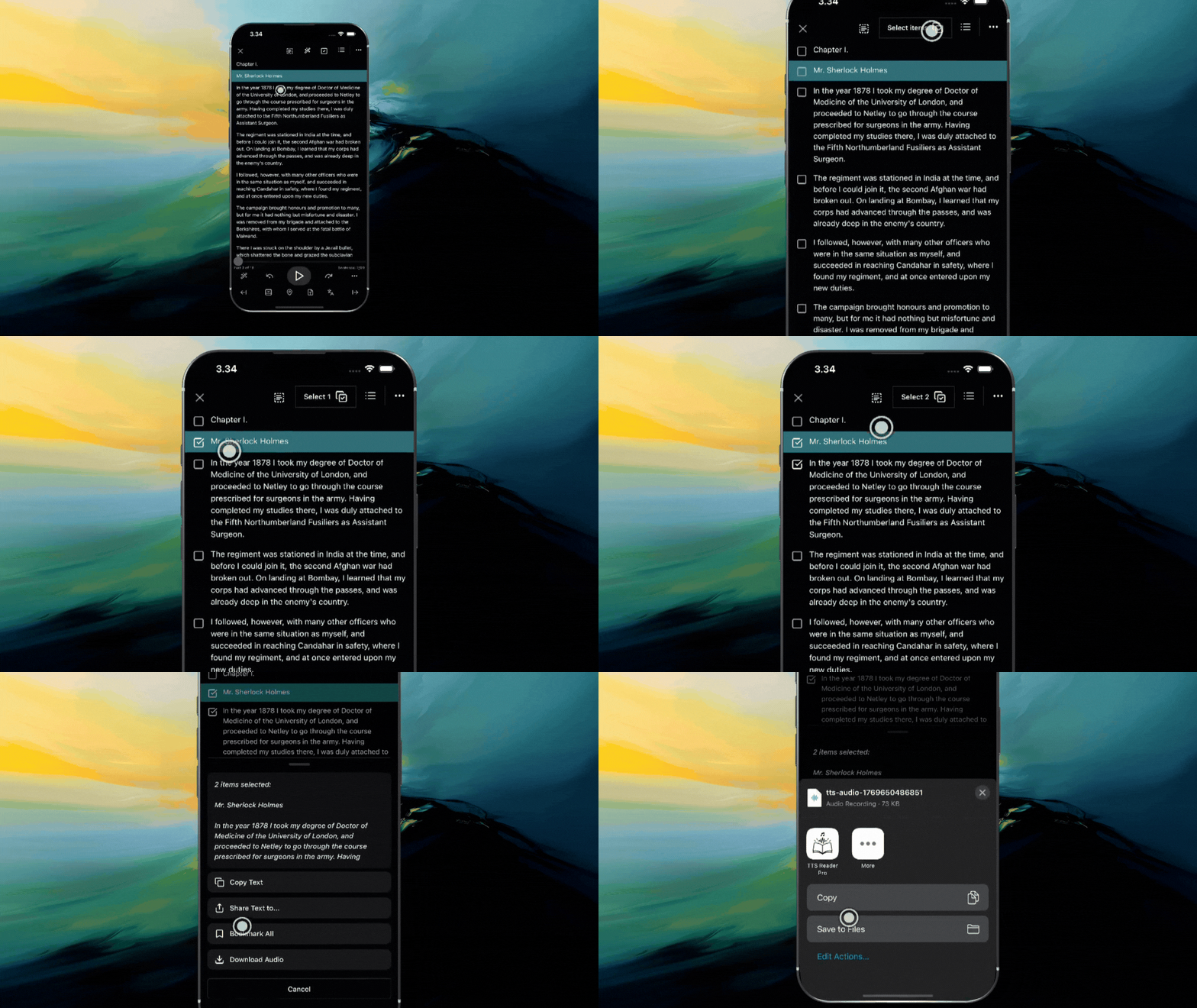
Download the audio of your documents for offline listening.
Why
Offline Access: Listen to your content without an internet connection.
External Players: Play the audio in other music or media player apps.
Sharing: Share the audio file with others.
Continuous Playback: Merges multiple segments into a single audio file for seamless listening.
How to Use
Open the document you want to listen to.
Tap the Download Audio button/icon.
The app will generate and merge the audio segments into a single MP3 file.
Once complete, you can save or share the file.
Loop Audio
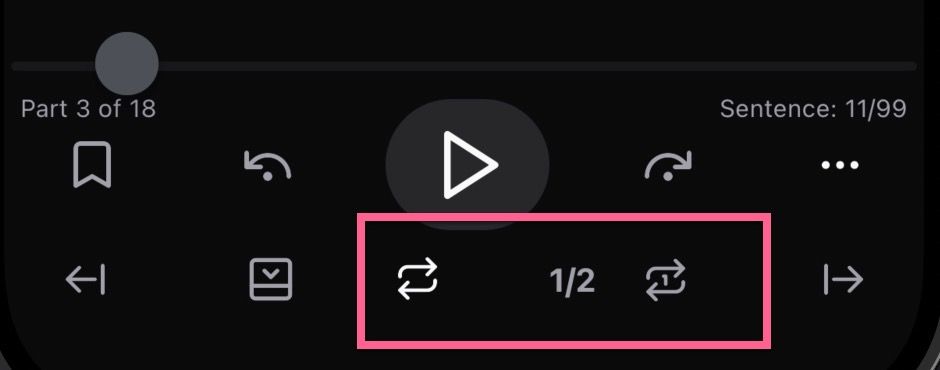
Repeat audio segments to practice pronunciation or memorize content.
Why
Language Learning: Repeat sentences to perfect your pronunciation.
Memorization: Loop important information to help commit it to memory.
Focus: Stay on a complex section until you fully understand it.
How to Use
Open Translate Mode
Tap the Loop icon (arrows forming a circle).
Configure the number of repetitions in the Loop Settings dialog.
Skip Text
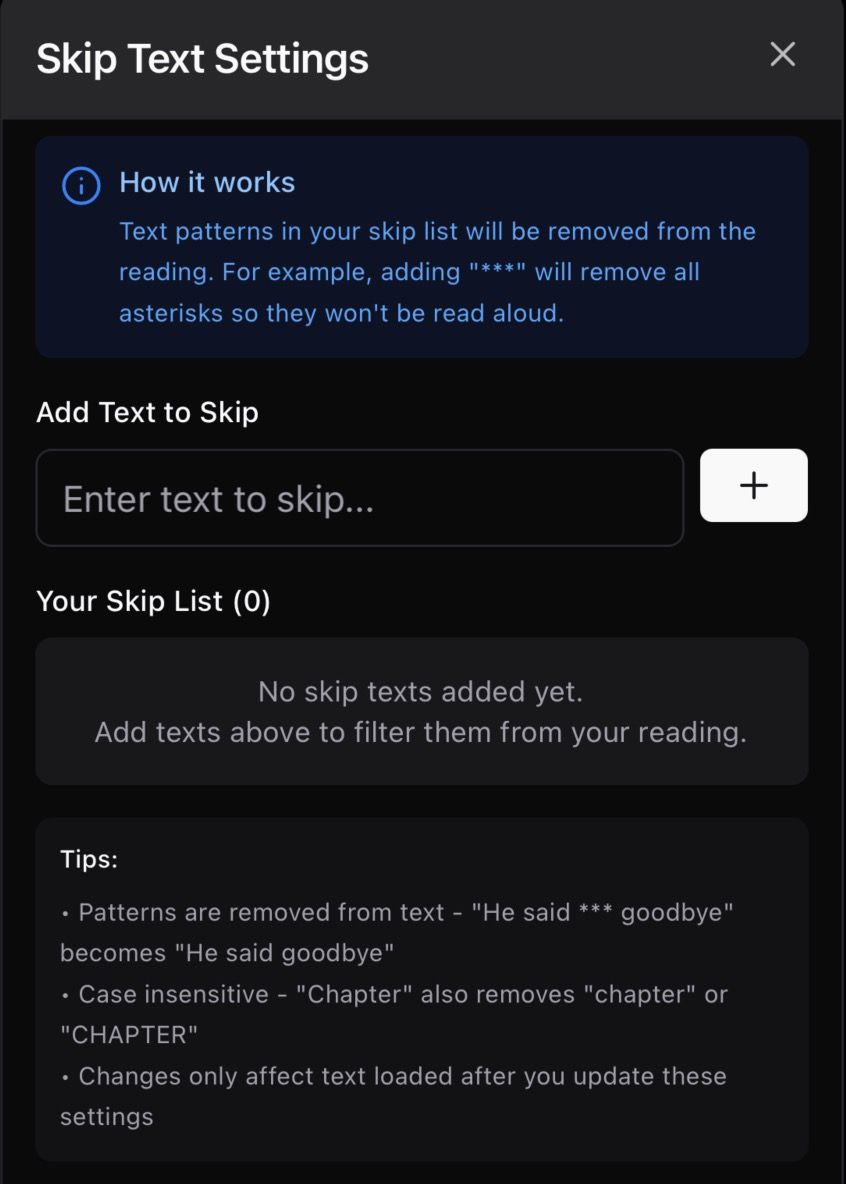
Skip specific text blocks to streamline your listening.

Why
Avoid Repetition: Skip over repeated headers, footers, or citations.
Focus: Ignore irrelevant sections of a document.
Customizable: You control what gets skipped.
How to Use
Open Setting Tab
Tap the Skip Text Filter
Configure in the Skip Settings dialog.